How can I schedule downtime when performing maintenance?
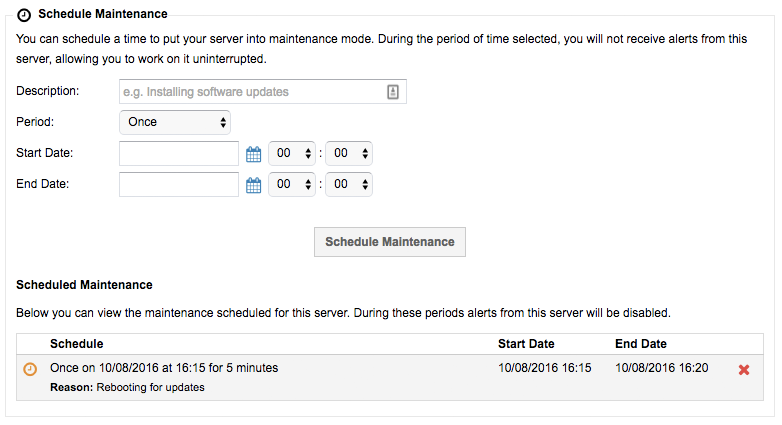
If you need to perform some maintenance on your solution then you can schedule downtime within ANS Glass, so that alerts aren't raised during this window. Here's how:
- Login to ANS Glass.
- Go to
Dedicated Serversin theProducts and Services. - Find the server you need to work on from the list.
- Scroll down on the Details page to find the Schedule Maintenance section.
- Complete the details and click
Schedule Maintenance.