How to log in to WHM and cPanel
There are 2 components to a cPanel server. There's WHM, which is the interface to manage reseller accounts. Then there is cPanel, which is the control panel for each account.
Connecting to WHM
Via ANS Glass link
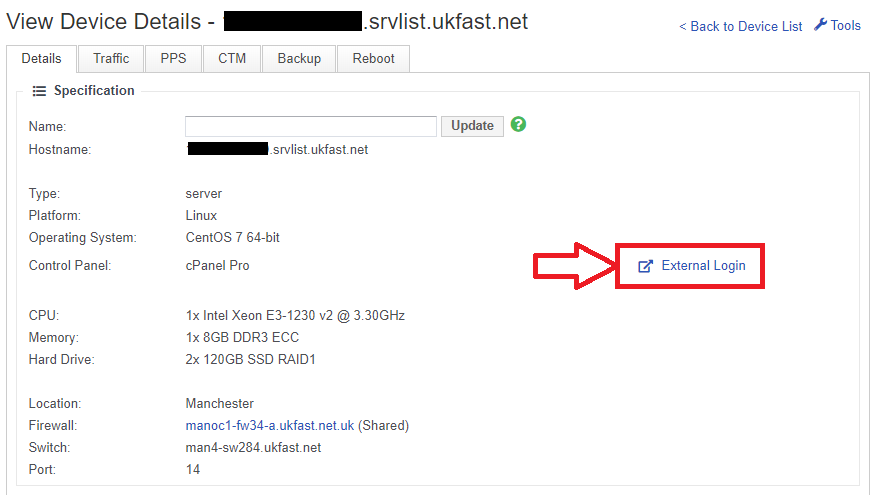
First, log in to your ANS Glass area, and navigate to the server page.
In the top section of the page, you will see the "External Login" button. This will take you straight to the login page for WHM:
Via URL
You can also connect to WHM, by appending :2087 onto the hostname or IP of your server in a browser:
https://IP.IP.IP.IP:2087
Connecting to cPanel
Via URL
There are 2 ways that you can connect to cPanel. The first is to append :2083 onto the IP or hostname of your server in your browser:
https://IP.IP.IP.IP:2083
Via WHM
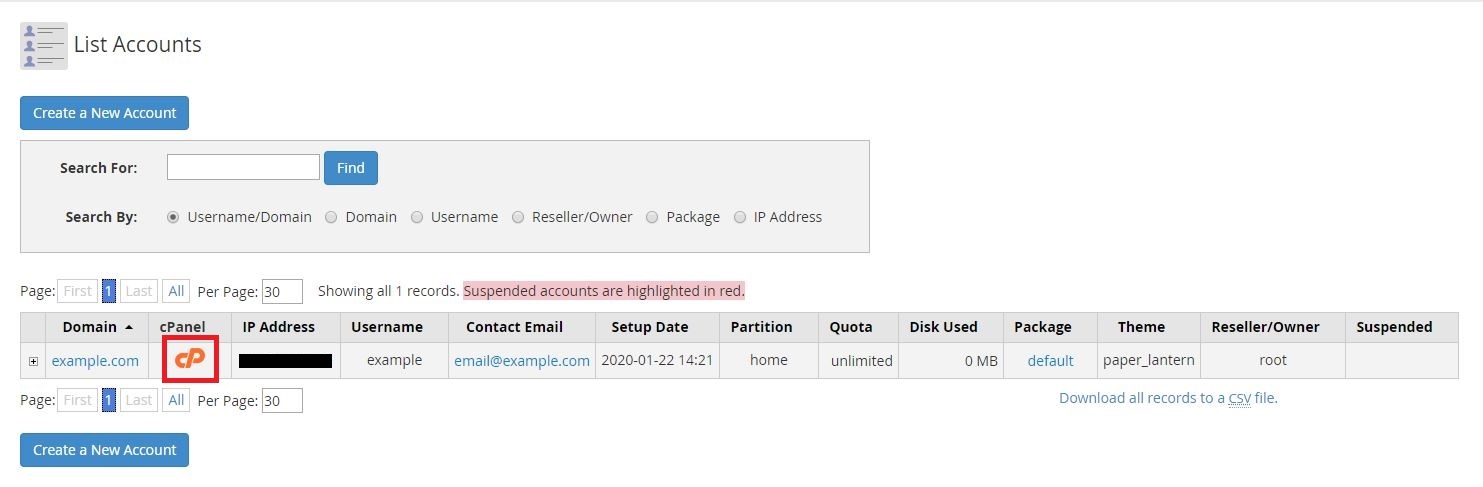
If you're logged into WHM, you can login to any of the cPanel accounts on that server. Login and navigate to:
Account Information >> List Accounts >> "cPanel" Button